A log lake on S3 Tables, with Firehose and Athena
I streamed 70,000 synthetic VPC flow records into an Iceberg table, then tried schema evolution, time travel and row-level deletes, and waited for a compaction that never came.
- Terragrunt units
- 3
- Resources
- 14
- Rows loaded
- 70,011
- Through Firehose
- 21 MB
- Cost so far
- ~$0.01
- Teardown
- pending
Network logs, VPC Flow Logs especially, pile up fast. The classic approach is to dump gzipped text into S3 and point Athena at it. That works until you want to change a column, delete some rows, or stop scanning ten thousand tiny files on every query.
Amazon S3 Tables are S3 buckets built for Apache Iceberg, with AWS running the table maintenance for you. In this lab I stream synthetic flow-log records through Firehose into an S3 Table, query them with Athena, and try the Iceberg features I keep reading about. I’m also using it to learn Terragrunt properly, so each build step explains the Terragrunt concepts as they come up.
The architecture
flowchart LR
    gen["gen_flow_logs.py<br/>synthetic flow records"] -->|PutRecordBatch| fh["Data Firehose<br/>buffer 1 MB / 60 s"]
    fh -. failed records .-> err[("S3 error bucket")]
    fh -->|Iceberg commits| tb[("S3 table bucket<br/>network.vpc_flow_logs")]
    tb -. federated .-> gc["Glue Data Catalog<br/>s3tablescatalog"]
    gc --> ath["Athena"]
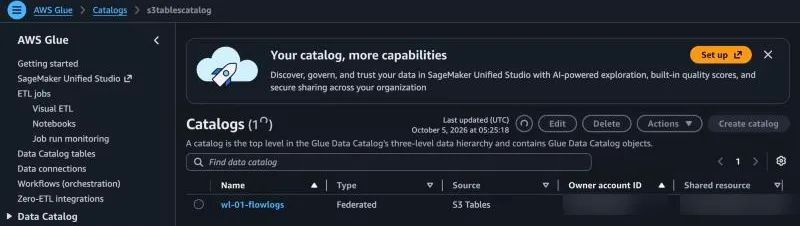
The “analytics integration” sounds like a big switch. In practice it’s one Glue catalog called s3tablescatalog, created by Terraform, which mirrors every table bucket in the region as a child catalog. Athena and Firehose both find the table through it.
The Terragrunt bit: one unit reads another
The Firehose unit needs the table bucket’s ARN. Instead of copy-pasting it, a dependency block reads the table-bucket unit’s outputs from its remote state. It also tells run --all the order to build and destroy things.
# live/sandbox/us-east-1/01-s3-tables-log-lake/firehose/terragrunt.hcl
dependency "table_bucket" {
  config_path = "../table-bucket"

  # stand-in values, used ONLY before the dependency has been applied
  mock_outputs = {
    table_bucket_arn  = "arn:aws:s3tables:us-east-1:123456789012:bucket/mock-bucket"
    table_bucket_name = "mock-bucket"
  }
  # ...and never for apply: fake values there would be an error
  mock_outputs_allowed_terraform_commands = ["init", "validate", "plan"]
}
Loading it and querying it
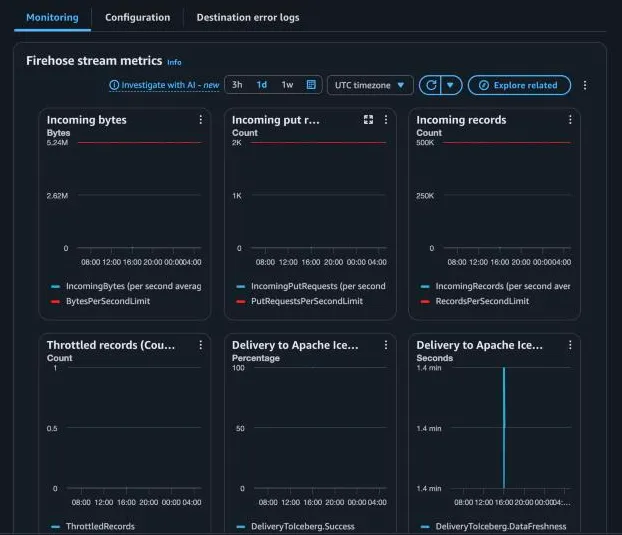
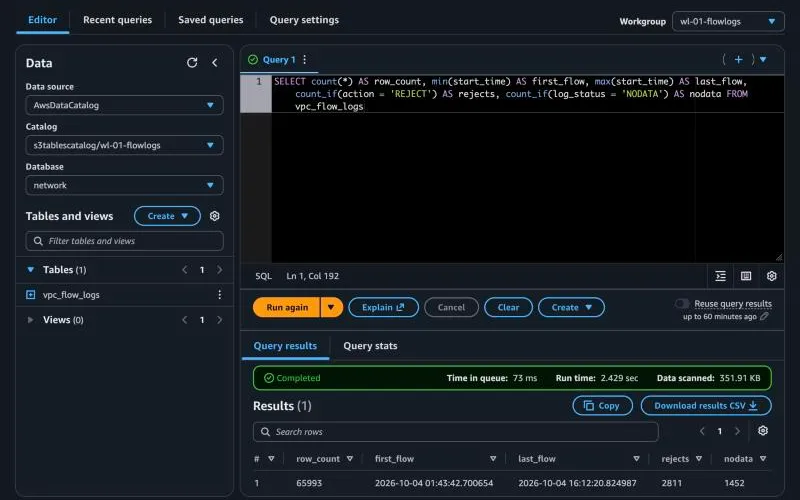
A small Python generator sent 50,000 synthetic flow records through Firehose’s PutRecordBatch, followed later by ten short bursts. Firehose committed each minute’s worth as one Iceberg snapshot. The volume was so small that it never registered against the stream’s default limits.
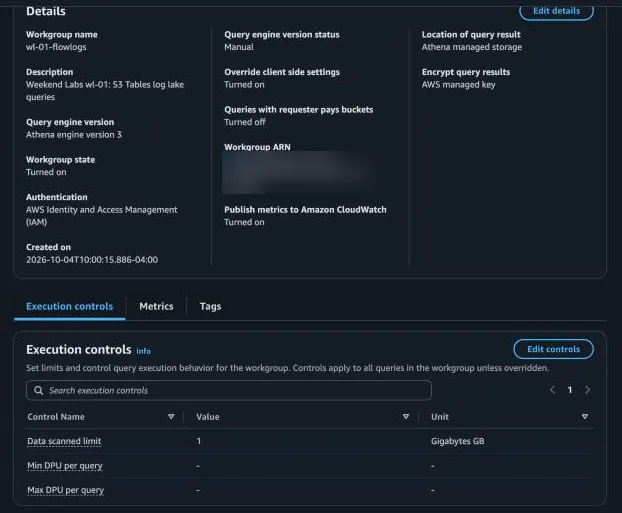
Every query runs in a dedicated Athena workgroup with a hard cap of 1 GB scanned per query, so a runaway query costs half a cent at most. Query results go to Athena’s managed storage, so there’s no results bucket to secure or clean up.
What happened when I poked it
| Experiment | Result |
|---|---|
| Load 50,000 records | 15.1 MiB of JSON became ~1 MB of Parquet across 3 commits |
| Time travel to the smoke test | 10 rows back, 0 bytes scanned (answered from metadata) |
| Add two columns | No new snapshot and no files rewritten; old rows read NULL |
| Delete the scanner’s rows | 4,018 position deletes in 3 small files; 0 data files rewritten |
| Wait for compaction | Two runs reported Successful. Neither rewrote a file |
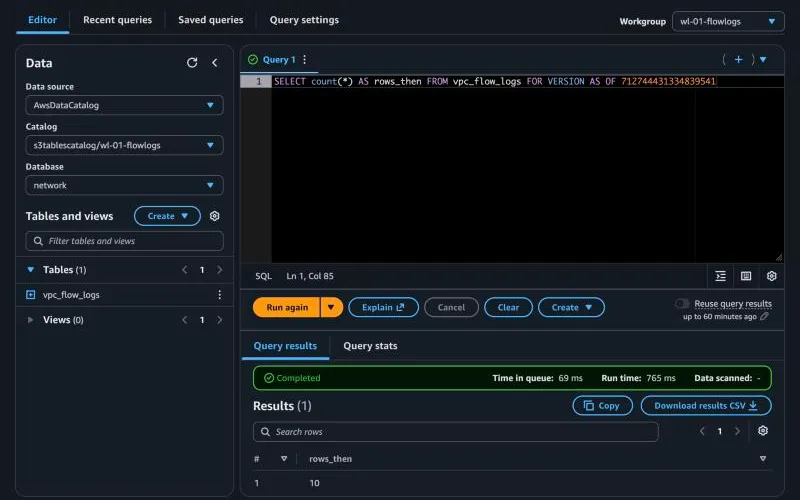
Time travel was the first surprise. Asking for the table as it was after my 10-record smoke test returned exactly 10 rows and scanned nothing at all. Athena answered the count from Iceberg’s metadata without opening a data file.
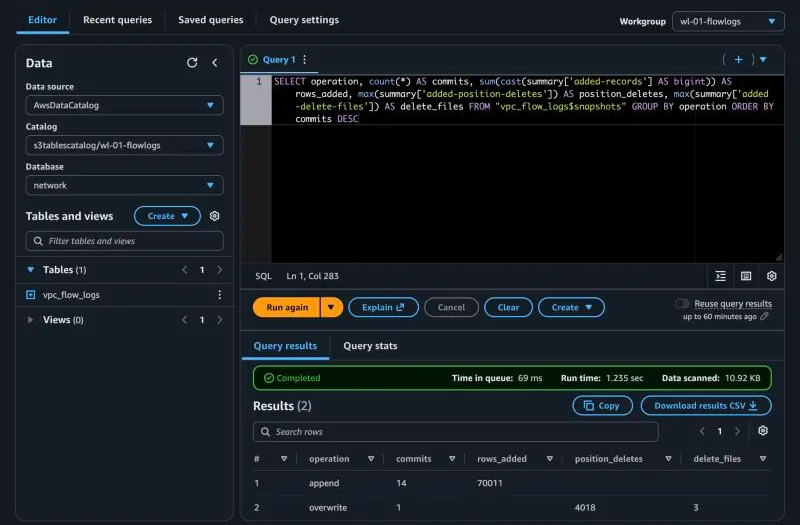
The table keeps its own diary. Iceberg’s $snapshots metadata table lists every commit. Grouped by operation, it tells the whole story of the lab in two rows.
Deleting the noisy scanner’s rows didn’t destroy anything yet. The old snapshot still holds them, so “undo” is just a query with a timestamp.
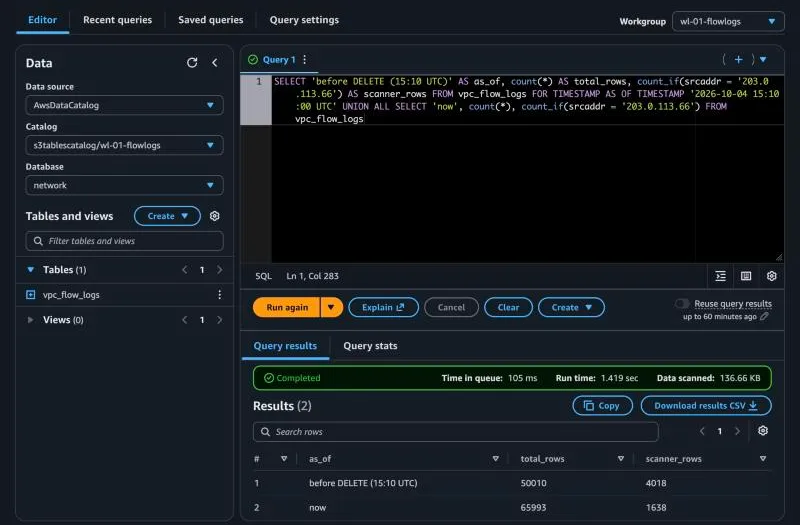
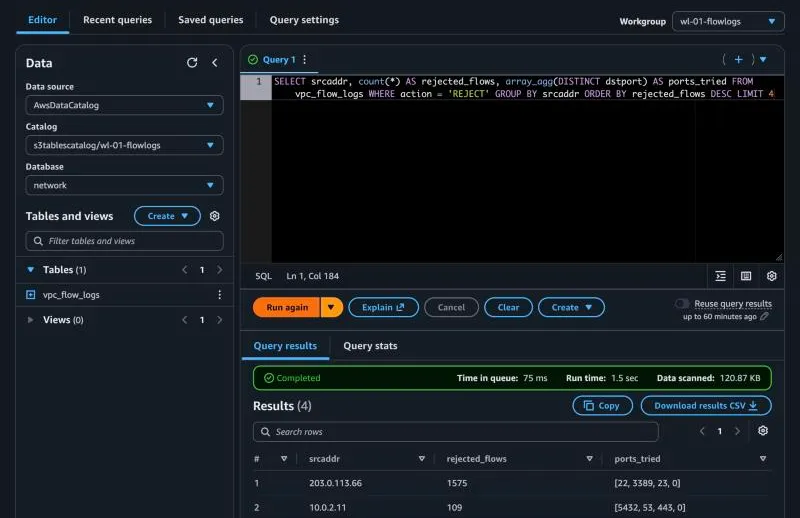
That last number is the second surprise. The scanner is still my top rejected source, because the generator kept sending its traffic. A DELETE removes the rows in the table when it runs. It doesn’t stop new ones arriving.
Then I created lots of small files on purpose and waited for S3 Tables to compact them.
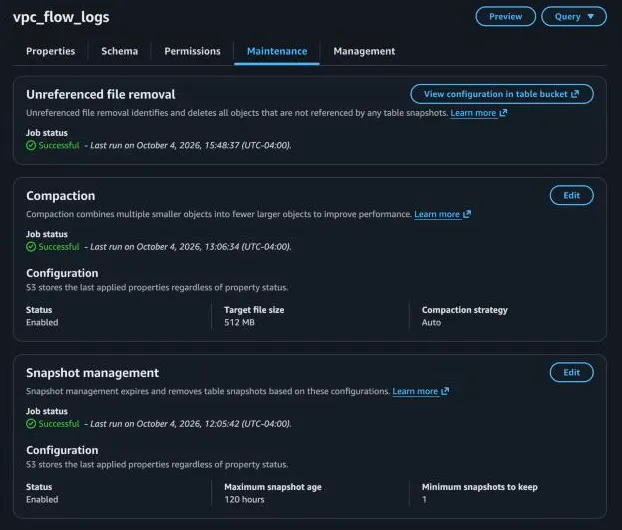
Gotcha: “Successful” doesn’t mean anything was compacted. S3 Tables reported a successful compaction run twice, and the snapshot history showed no rewrite either time. To know what maintenance actually did, read
$snapshots, not the job status.
Screenshots were captured from the AWS console and checked against Athena’s query history. Account IDs and ARNs are cropped or blurred.